Wondershare Filmora, or Cyberlink Powerdirector – Which one is The Best Software?
Wondershare Filmora, or Cyberlink Powerdirector – Which one is The Best Software?

Fans have never been so close to professionals when it comes to video recording. Once upon a time, the technology for recording the good video was remarkably expensive, but today everyone can afford equipment and processing tools similar to that of a movie studio. Now you can record 4K videos with your mobile phone, on the move, and with unlimited possibilities. The only thing in question is the availability of storage space and the willingness to film.
However, half of the recording work is done with the camera. The other half is done with the PC for editing and improving your videos to meet your needs. As the way of filming has evolved we can have different options, one is Wondershare Filmora and the other is Cyberlink Powerdirector, but which one is better? For that, we must analyze their differences.
Filmora Wondershare
- It is the best for beginners or intermediates who will make simple videos for YouTube or commercial.
- The number of the simultaneous track: 100.
- Motion Tracking: No.
- Mask: Yes.
- 3D edition: No.
- 360 edition: No
- Screen recording: Yes.
- General qualification: 9.
Cyberlink Powerdirector
- It is the best for enthusiasts who will make advanced videos, short films, or semi-professional series for YouTube or for business.
- The number of the simultaneous track: 100.
- Motion Tracking: Yes.
- Mask: Yes.
- 3D edition: Yes.
- 360 edition: Yes.
- Screen recording: Yes.
- General qualification: 10.
Wondershare Filmora Review
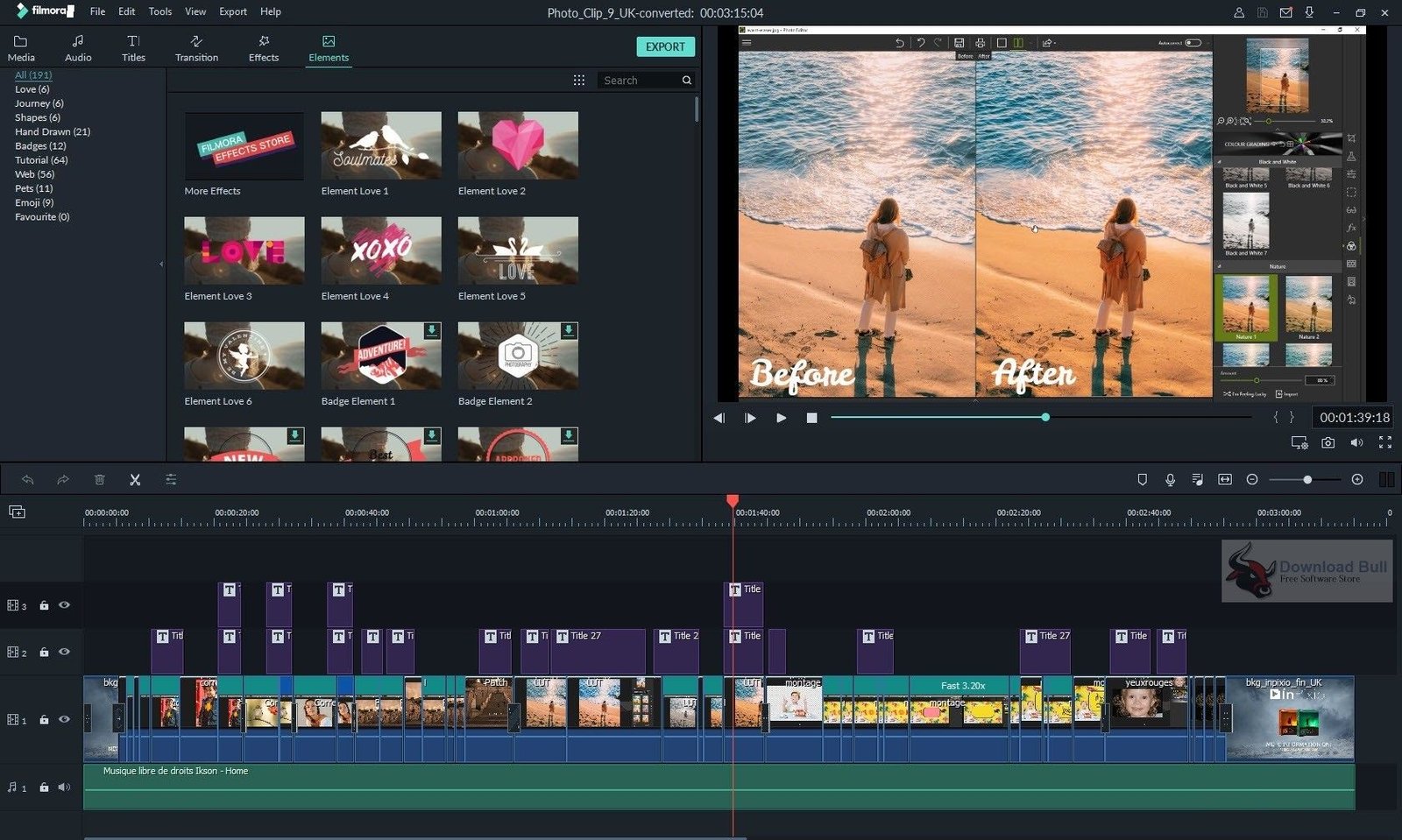
Wondershare Filmora is one of the best video editing software solutions for beginners. It lacks options for advanced users, especially for editing tracks. On the other hand, the 8 editing tracks are enough for someone who is starting with video editing. The learning graph will increase rapidly as the Filmora has a convenient interface and all options are available on the main screen.
Main Positive Features
- The interface is very friendly, in the section above you have the folders where your projects and their files are stored (it even looks like the Windows window when you open any folder in list mode), the main buttons have their clear drawings that also say so that they are already part the letter tells you what they are for.
- It is basically a drag-and-drop program and if that also makes it difficult for you, you go to each multimedia file and taking the cursor an extra sign appears so you can add it to the timeline, it is a program that takes you from hand.
- It has many functions, all of which you will need and even a little more, such as scene detection, color correction, noise reduction, Chroma Key, mask effect (something that you usually only find in very advanced programs), screen recording, etc.
- Unlike almost all beginner editors, this one (in version 9 only) allows you to treat the video tracks independently, in all you can put their effects, transitions and you are not so limited in terms of a number of video tracks and audio.
- It may seem like a very basic editor, however, you can make quite advanced effects with filmora that have not been able to achieve with other simple editors.
Negative Features
- Although there are good effects and they are quite free, there are many that are paid.
- Except for some audio effects, filmora does not use keyframing editing (it is a method where you choose the exact frame to change an effect), which makes it a bit difficult to make movements and animations of objects.
Cyberlink Powerdirector Review
Cyberlink Powerdirector is probably the best video editing solution for newcomers. If you are willing to start from scratch, learn the basics, and climb the ladder, this is the best program for you. One would suppose that this may lead to a lack of premium tools, but this is not the case. Powerdirector has all the tools and focuses necessary to get a beginner to create premium content in no time.
Main Positive Features
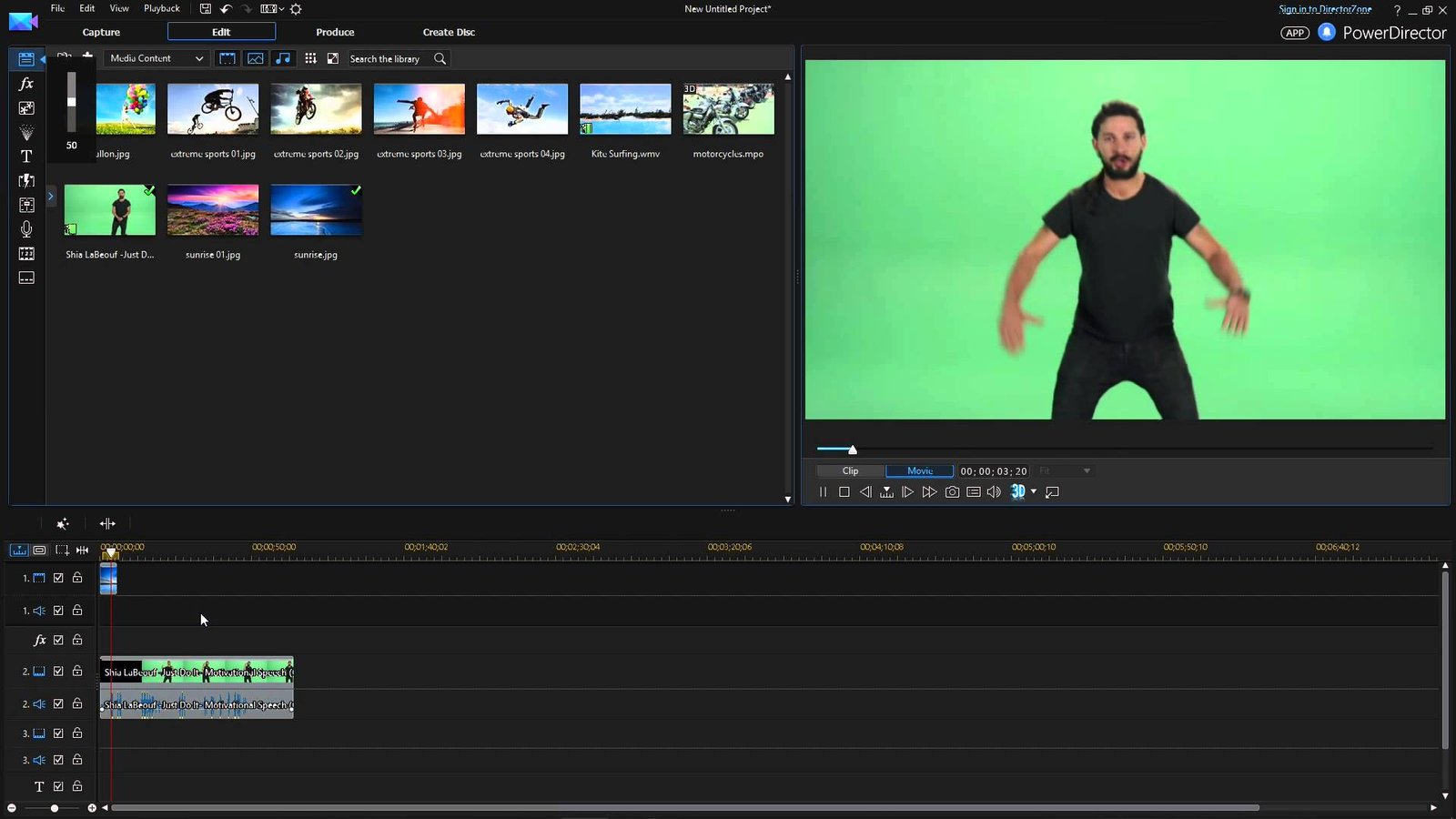
- For the number of options that PowerDirector has, it is quite intuitive, it has tabs with the option to capture video and audio, edit, produce and create disc (for your DVD, such as menus, etc.), it has icons with the functions in a column on the left side, they are quite intuitive icons, but if you don’t know, you move the courses and the comment appears. It has its multimedia files section to drag to the timeline and it has the option to make edits and cuts prior to each clip.
- The tools are on the timeline in a menu in words, so you don’t have to guess much.
- The language is obviously not so simple, for example, the word “produce” as it can have different meanings, although it is only enough to click to see where it leads and it is precisely the options to render.
Negative Features
- It is a simple program for the number of functions it has, however it is not so intuitive if it is the first video you will make.
- Given the number of functions it has, you require a medium-high range of computing equipment.
Deciding which program is better will be in the user’s hands, it will depend on the skills you have and what you need, it is that both are very good.